Spaces for agencies

Show clients the work, not a PDF.

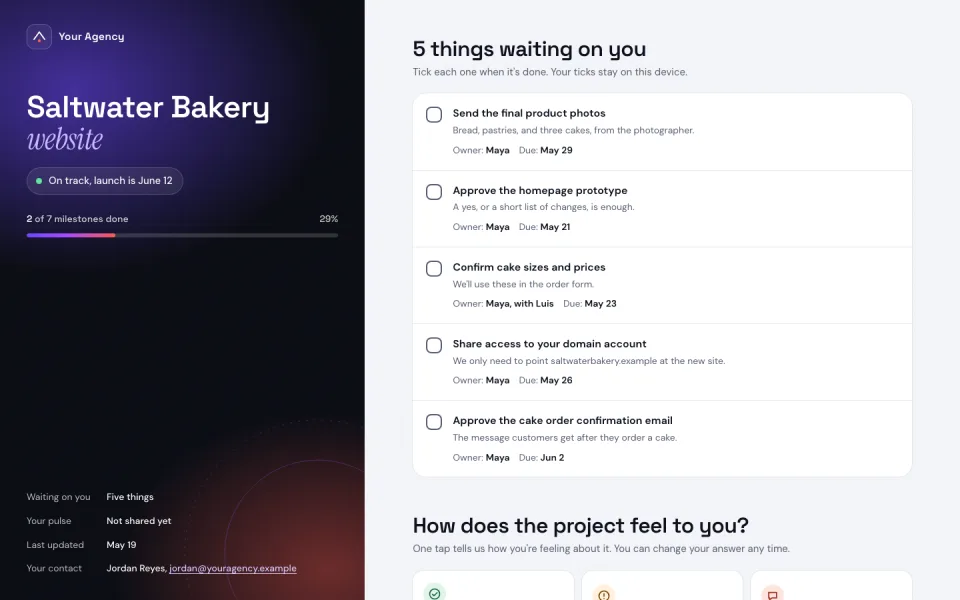
Send clients a private link to a clickable prototype, a project brief, a client tracker, or a quote calculator, ready for them to open, comment on, and sign off on.

See some ideas

What makes Spaces client-ready?

One link for every round

Your client can keep a single link for the whole project. Each time you publish, it updates in place, so nobody has to dig through emails for the newest draft.

Three browser windows stacked at the same address, saltwater.incspark.com: rounds 2 and 3 behind, and round 4 in front under a banner saying version 4 is live and the client can reload the link.
Private until you share it

New spaces start private. Invite the client as a viewer or commenter, or send a share link that needs no account and expires when the review ends.

The client’s page blurred behind a lock, with a box saying this space is private and only your team can see it; then the lock clears, the page comes into focus, and the box says the share link was opened and expires tomorrow.

Tuesday’s version, back in one click

Try new directions and make changes freely. Every version you publish is saved with its own link, so you can show the client any of them or restore the one they liked best in one click.

The client’s homepage versions in a row like a dock, the live one first and more running off the edge, each of the first three growing in turn, with a Restore button on an earlier one while it is the big one.

Collect feedback directly on the space

No more screenshots with red circles. Your clients can leave notes right on the parts they’d like to change, so gathering and acting on feedback couldn’t be easier.

The client’s homepage with two comments pinned to it, Dana’s on the headline asking for the Saturday market and Luis’s on the picture asking for a photo of the shop, while their cursors move over the page.

Remix a client kit

Borrow a head start. These spaces were built for an imaginary bakery: remix any of them into your own and shape it around your client.

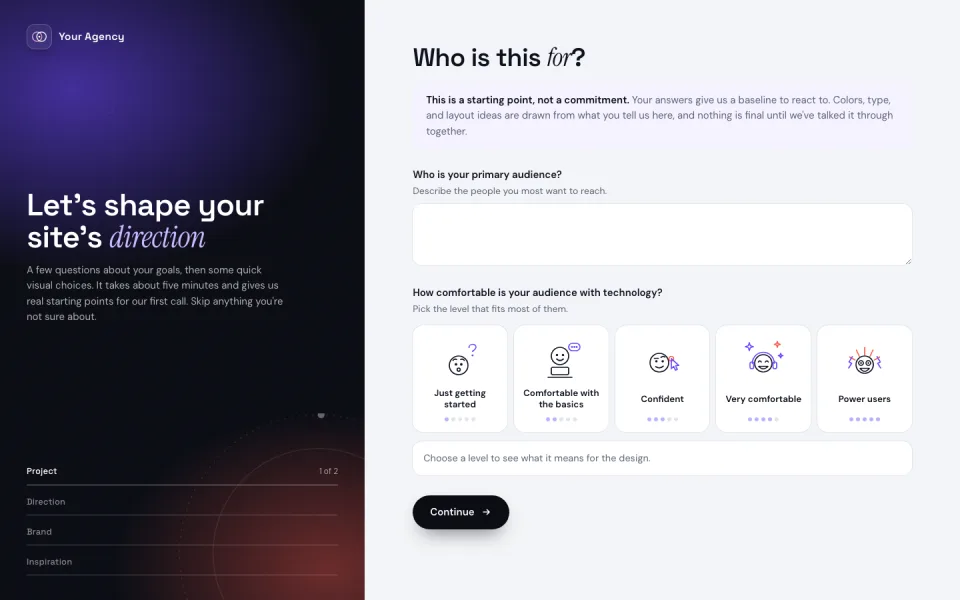
Design direction questionnaire

Skip the vague brief. Your clients can choose the colors, type, and imagery they like, see them on a sample homepage, and share a summary with you.

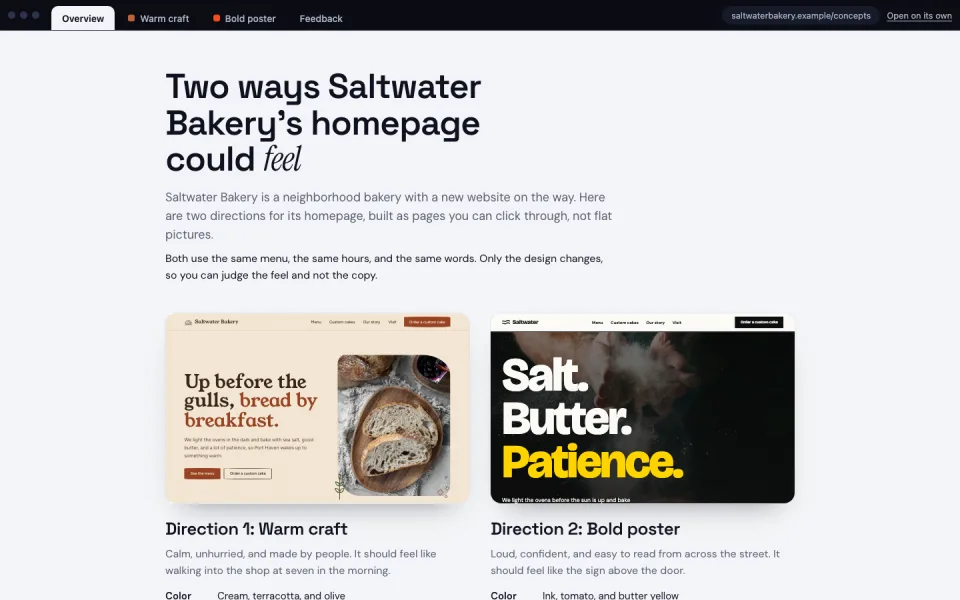
Two homepage directions to compare

Show two directions side by side. Both use the same words and menus, so your client can compare the look and feel without getting distracted by the copy.

Rather start from a prompt? The sales proposal and design studio recipes come with the prompt, the source and a live example.

Everything a client project asks for

Every space comes with the pieces client work eventually needs.

  • The client’s domain

    Point the client’s domain at the space, and SSL is issued and renewed automatically. Custom domains are included on every plan.

  • Clients don’t take a seat

    You pay for the people who make changes. Clients, reviewers, commenters, and your coding agent never add a seat.

  • Per-page access

    Share the prototype with the client and keep the internal notes for your team, on the same site.

  • Built-in database

    Every space has one. Use it for intake forms, sign-offs, RSVPs, or a quote request that actually saves.

  • Branch previews

    Working in git? Each branch can get its own preview link, so two design directions can be two links.

  • Hand over the files

    Download the files from any retained version. Static sites move to another host as they are; apps that use platform runtimes need adapting.

Questions agencies ask

Do my clients need an account?

No. Send a share link that opens in any browser, choose whether it lets people view or comment, and give it an expiry date. You can also invite clients by email.

Do clients count as seats?

No. Clients, reviewers, commenters, and AI agents never count as seats.

Can we get an earlier version back?

Yes. Every publish is saved as a version with its own link, and you can restore any retained version without rebuilding.

Do Spaces replace WordPress?

No. Build the client’s site in WordPress, and use Spaces for the prototypes, briefs, trackers, and small tools around it. A space can also publish a static copy of a public WordPress site through a connected Git repository.

Launch a firm overseas.

Set it up yourself

Login

Enter your email. New here? We’ll create your account automatically.

By continuing you agree to our Terms and confirm you have read our Privacy Policy.